
 Honda Accord: DTC Troubleshooting Index
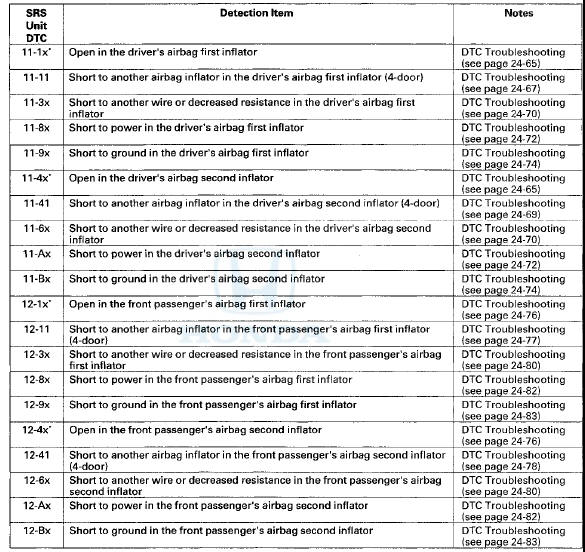
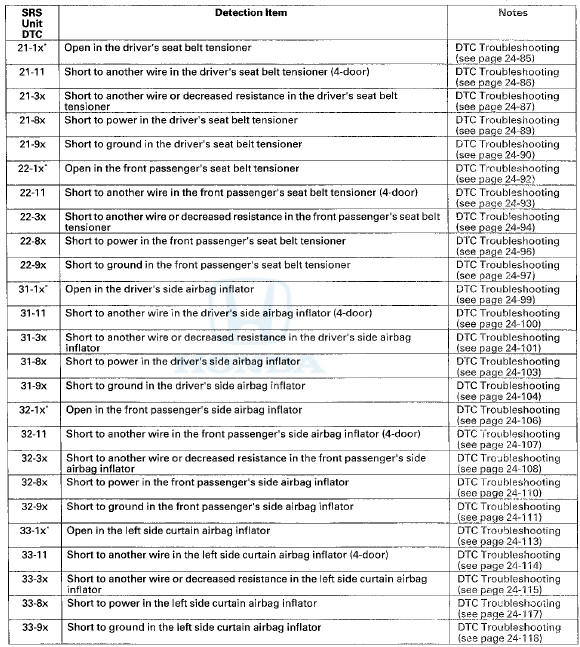
NOTE: The "x" at the end of each DTC denotes a numeric character (0 thru 9), or items with an asterisk (*) (0, 2 thru 9), or an alpha character (A thru F) that you will see on the HDS display. The character is unrelated to your troubleshooting; it designates the SRS unit manufacturer and other detail used for product analysis.
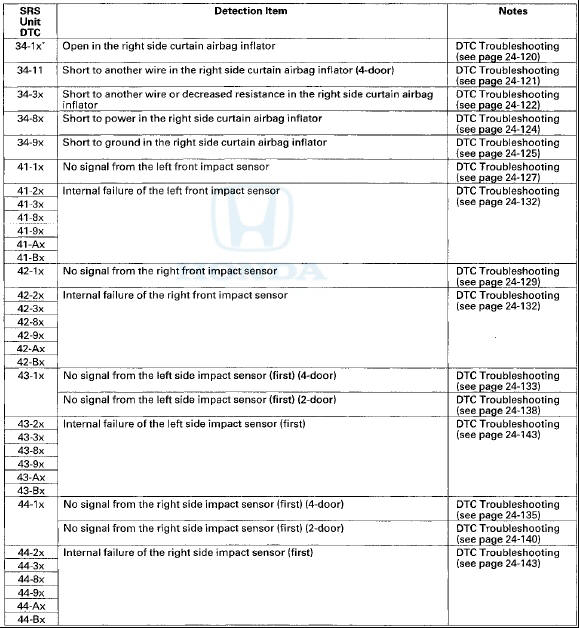
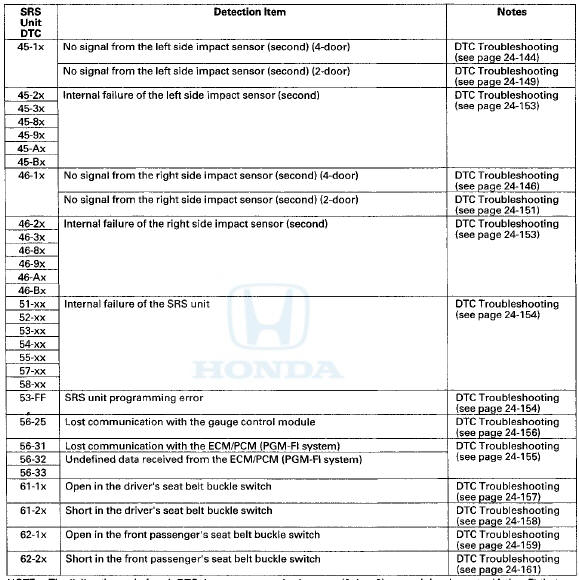
NOTE: The "x" at the end of each DTC denotes a numeric character (0 thru 9) or an alpha character (A thru F) that you will see on the HDS display. The character is unrelated to your troubleshooting; it designates the SRS unit manufacturer and other detail used for product analysis.
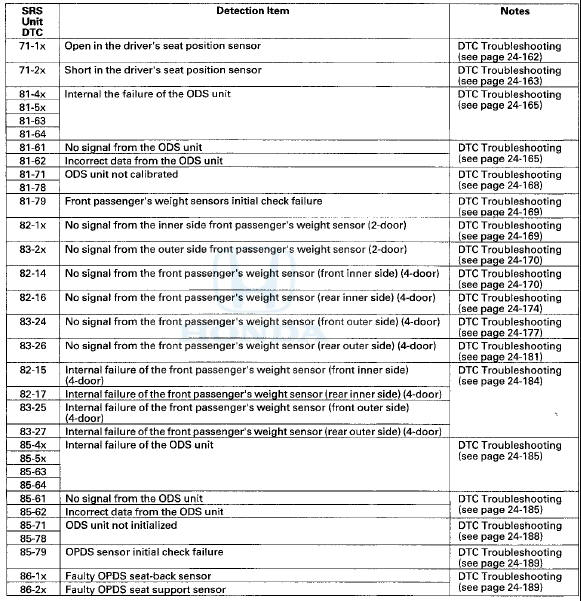
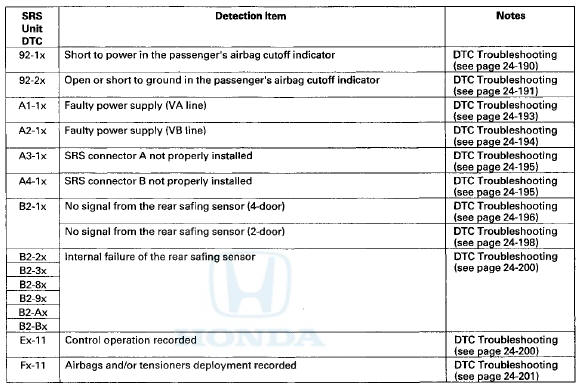
NOTE: The "x" at the end of each DTC denotes a numeric character (0 thru 9), or items with an asterisk (*) (0,2 thru 9), or an alpha character (A thru F) that you will see on the HDS display. The character is unrelated to your troubleshooting; it designates the SRS unit manufacturer and other detail used for product analysis.
Only read DTCs from the SRS menu, not from SWS menus unless Instructed to check SWS DTCs. SWS (ODS unit) DTCs are subcodes of SRS unit DTCs. Only troubleshoot the corresponding SRS DTCs.
SWS DTC Index
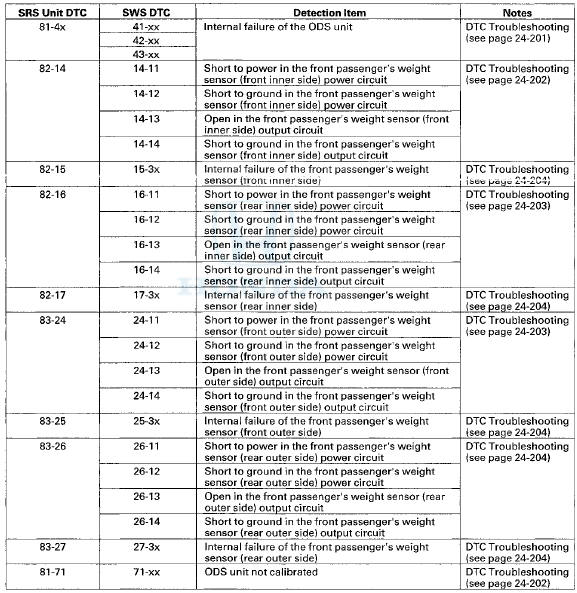
NOTE: The "x" at the end of each DTC denotes a numeric character (0 thru 9) or an alpha character (A thru F) that you will see on the HDS display. The character is unrelated to your troubleshooting; it designates the SRS unit manufacturer and other detail used for product analysis.
 Driver's Seat Position Sensor Operation Check
Check the driver's seat position sensor after driver's seat
position sensor replacement.
1. Make sure the driver's seat is all the way forward
position.
2. Make sure the ignition switch is in L ...

See also:
Troubleshooting
Special Tools Required
Vacuum Pump/Gauge, 0-”30 inHg Snap-on YA4000A or
equivalent commercially available
NOTE:
- Check the vacuum hoses and the lines for damage and
proper connections befor ...
Symptom Troubleshooting
Rapid brake pad wear, vehicle vibration
(after a long drive), or high, hard brake pedal
NOTE: Make sure that the caliper pins are installed
correctly. Upper caliper pin B and lower caliper pin A ar ...
Safety of Infants and Small Children
• Protecting Infants
An infant must be properly restrained in a rear-facing, reclining child seat
until the
infant reaches the seat maker's weight or height limit for the seat, and the
infant ...