
 Honda Accord: DTC Troubleshooting Index
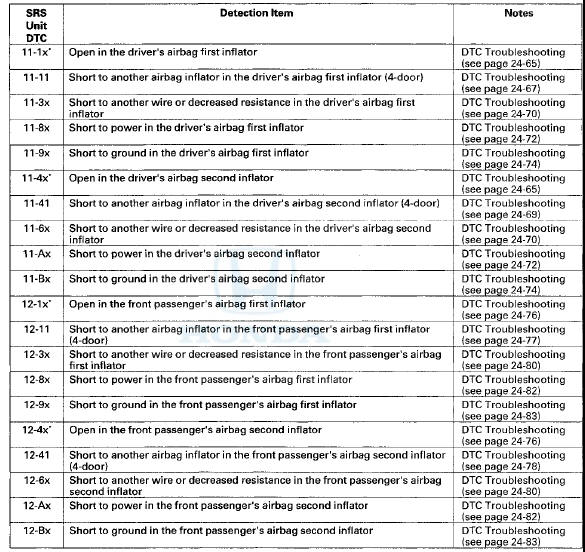
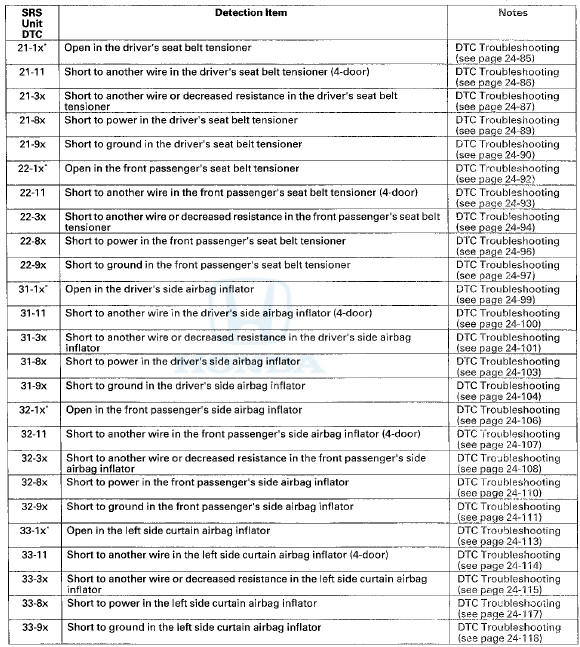
NOTE: The "x" at the end of each DTC denotes a numeric character (0 thru 9), or items with an asterisk (*) (0, 2 thru 9), or an alpha character (A thru F) that you will see on the HDS display. The character is unrelated to your troubleshooting; it designates the SRS unit manufacturer and other detail used for product analysis.
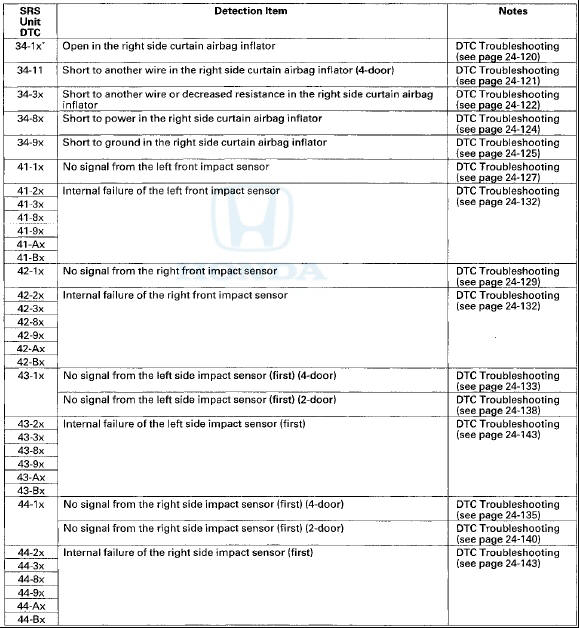
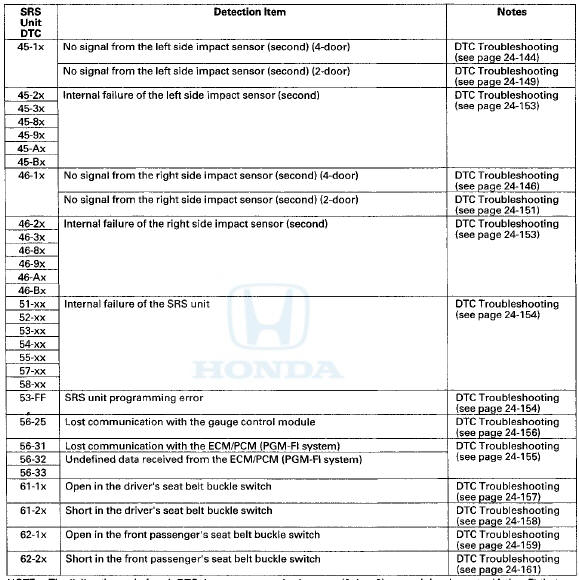
NOTE: The "x" at the end of each DTC denotes a numeric character (0 thru 9) or an alpha character (A thru F) that you will see on the HDS display. The character is unrelated to your troubleshooting; it designates the SRS unit manufacturer and other detail used for product analysis.
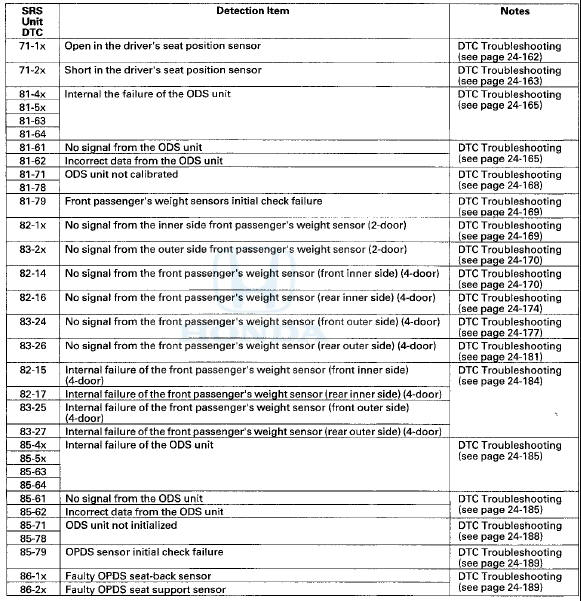
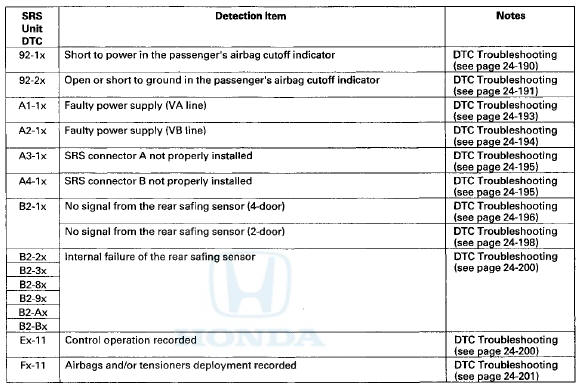
NOTE: The "x" at the end of each DTC denotes a numeric character (0 thru 9), or items with an asterisk (*) (0,2 thru 9), or an alpha character (A thru F) that you will see on the HDS display. The character is unrelated to your troubleshooting; it designates the SRS unit manufacturer and other detail used for product analysis.
Only read DTCs from the SRS menu, not from SWS menus unless Instructed to check SWS DTCs. SWS (ODS unit) DTCs are subcodes of SRS unit DTCs. Only troubleshoot the corresponding SRS DTCs.
SWS DTC Index
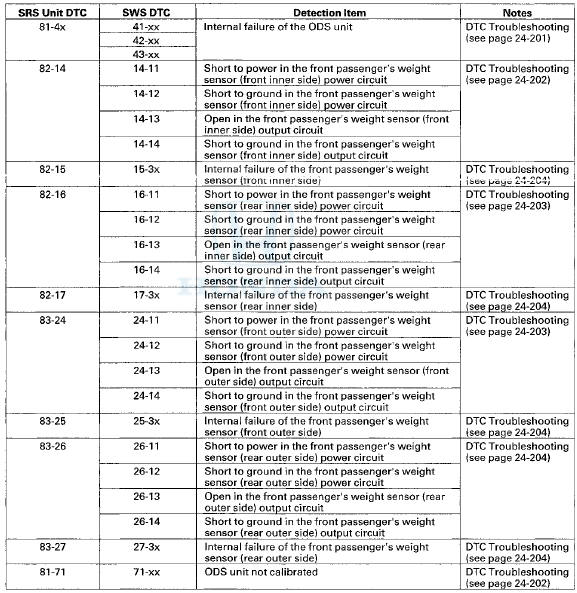
NOTE: The "x" at the end of each DTC denotes a numeric character (0 thru 9) or an alpha character (A thru F) that you will see on the HDS display. The character is unrelated to your troubleshooting; it designates the SRS unit manufacturer and other detail used for product analysis.
 Driver's Seat Position Sensor Operation Check
Check the driver's seat position sensor after driver's seat
position sensor replacement.
1. Make sure the driver's seat is all the way forward
position.
2. Make sure the ignition switch is in L ...

See also:
DTC Troubleshooting
DTC 11-13: Right-front Wheel Speed Sensor
Circuit Malfunction
DTC 13-13; Left-front Wheel Speed Sensor
Circuit Malfunction
DTC 15-13: Right-rear Wheel Speed Sensor
Circuit Malfunction
DTC 17-13: ...
Fluid Replacement
Check the reservoir (A) at regular intervals, and add the
recommended fluid as necessary. Always use Honda
Power Steering Fluid. Using any other type of power
steering fluid or automatic transmissi ...
Cam Chain Case Oil Seal
Installatio
Special Tools Required
Driver Handle, 15 x 135L 07749-0010000
Attachment, 52 x 55 mm 07746-0010400
1. Clean and dry the crankshaft oil seal.
2. Apply a light coat of new engine oil to the lip of ...