
 Honda Accord: Circuit Diagram
Premium Audio System with navigation
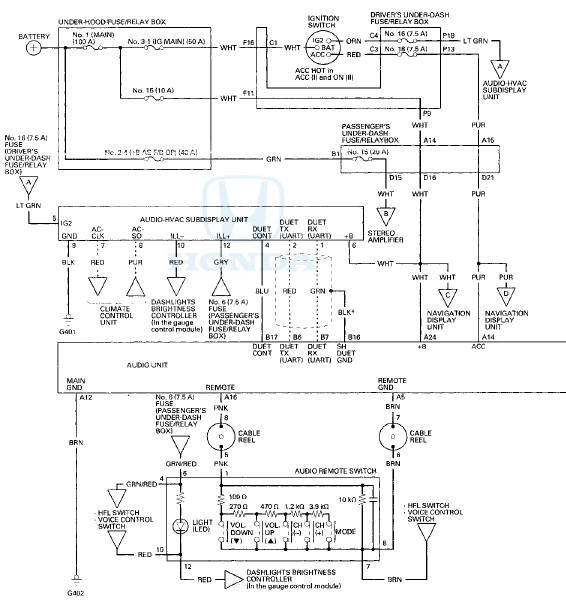
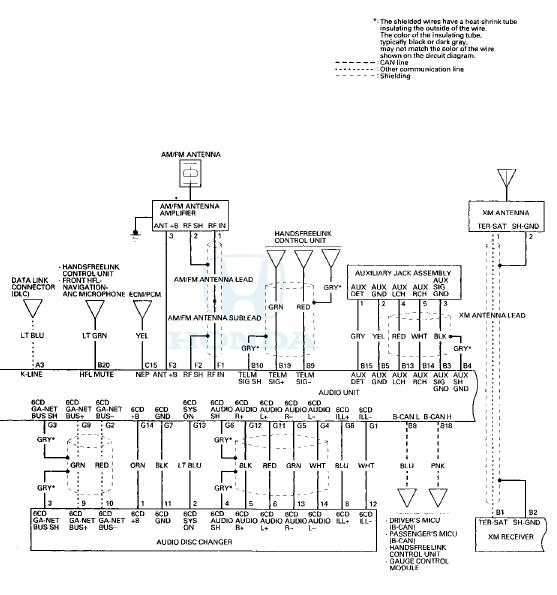
Premium Audio System with navigation
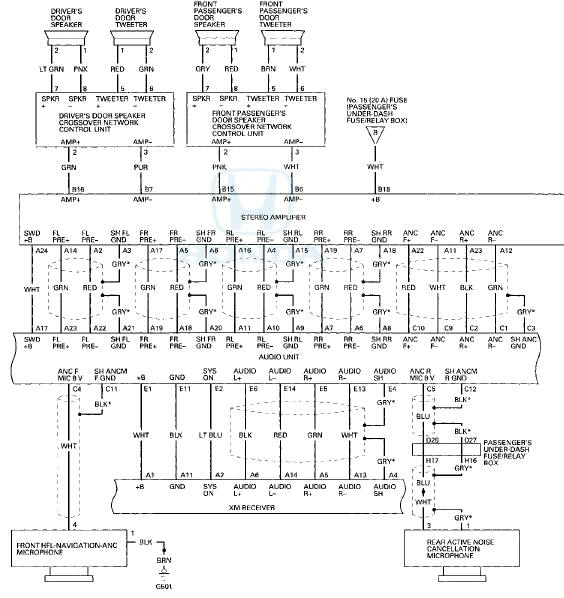
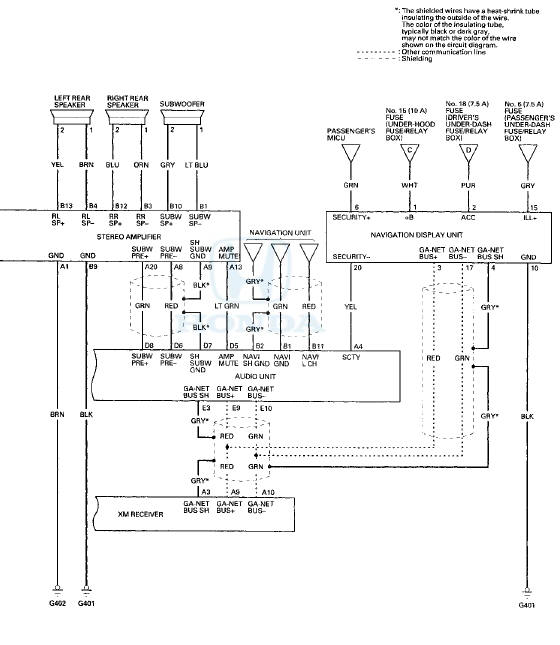
Premium Audio System without navigation
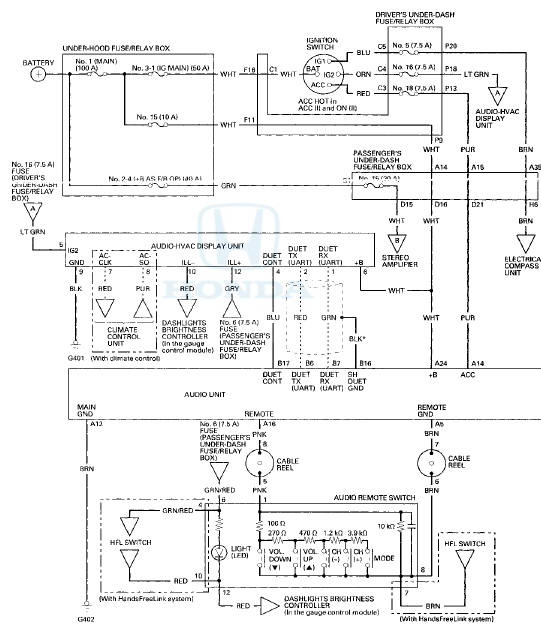
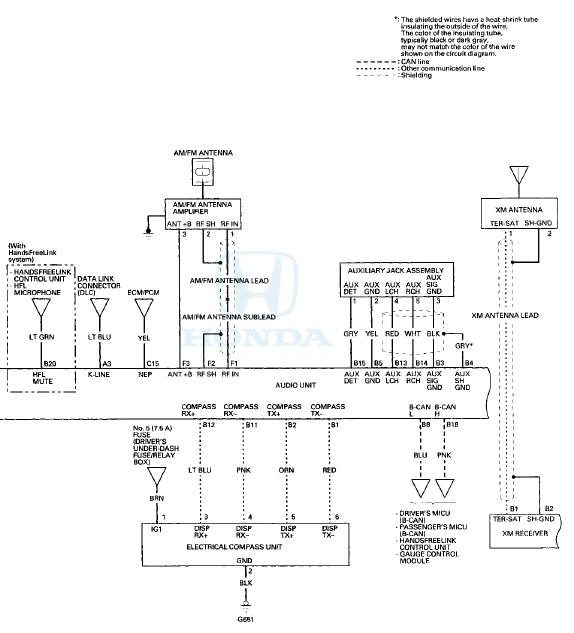
Premium Audio System without navigation
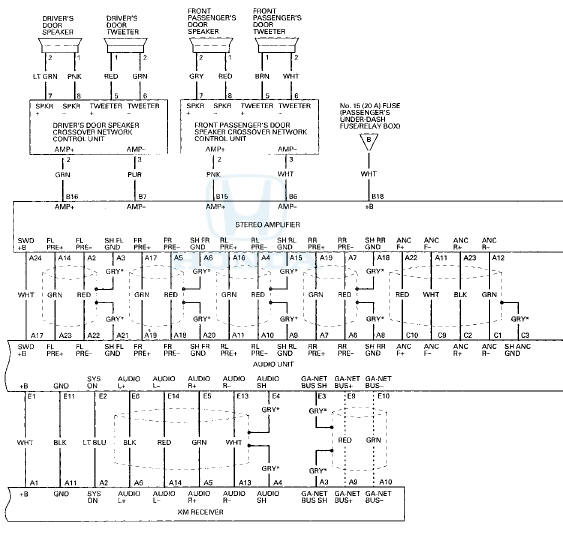
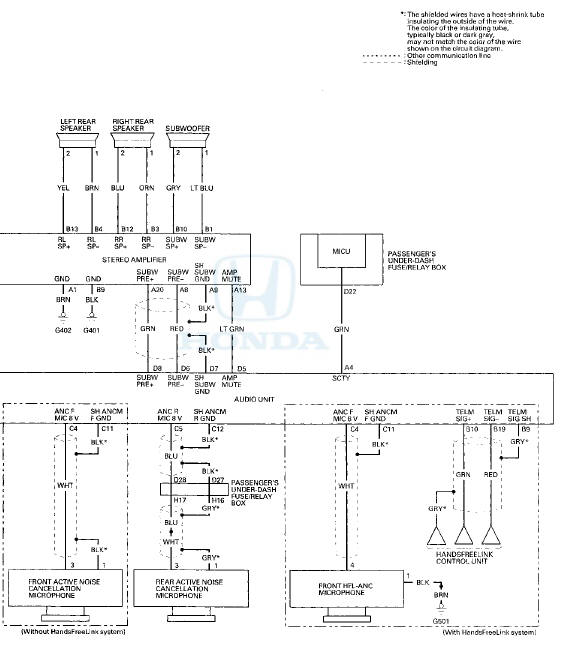
Without Premium Audio System
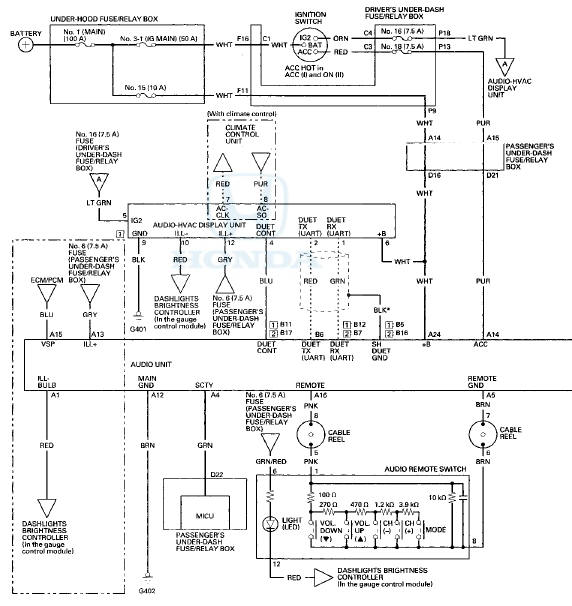
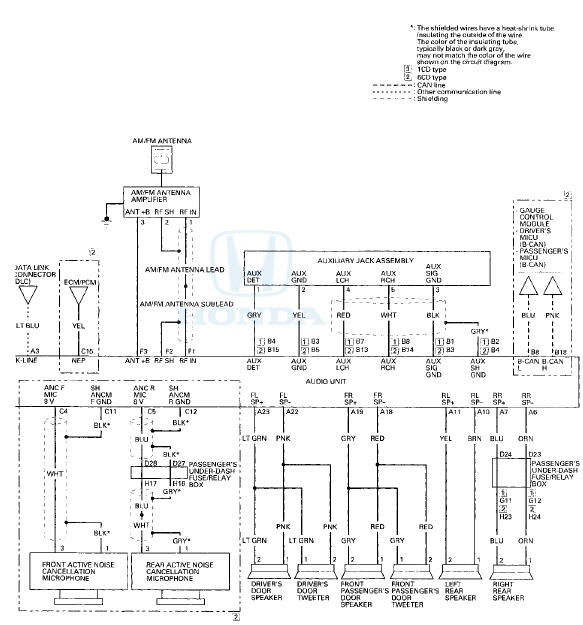
 System Description
Overview
The audio unit acts as the processor for all audio functions. You can select
the audio functions from the front panel, the
audio remote (on the steering wheel), or by using the navigation ...
 Self-diagnostic Function
The audio system has a self-diagnostic function.
NOTE:
• Not all self-diagnostic functions appear on all models.
• There may be other self-diagnostic functions that are for factory us ...
See also:
Oil Pump Chain Replacement
NOTE: Keep the oil pump chain away from magnetic
fields.
Removal
1. Remove the drive belt (see page 4-30).
2. Remove the oil pan (see page 7-11).
3. Support the engine with a jack and a wood ...
Front Door Weatherstrip Replacement
NOTE:
- Put on gloves to protect your hands.
- Take care not to scratch the door.
- Take care not to damage the front upper corner clip
(black) (4-door) and the rear upper corner clips (black) ...
Symptom Troubleshooting
The horn does not sound and/or the
headlights do not flash when the PANIC
button on the transmitter is pressed
NOTE: Before troubleshooting, check the B-CAN DTCs.
any DTCs are indicated, and trou ...