
 Honda Accord: Playing an iPod (Models without navigation system)
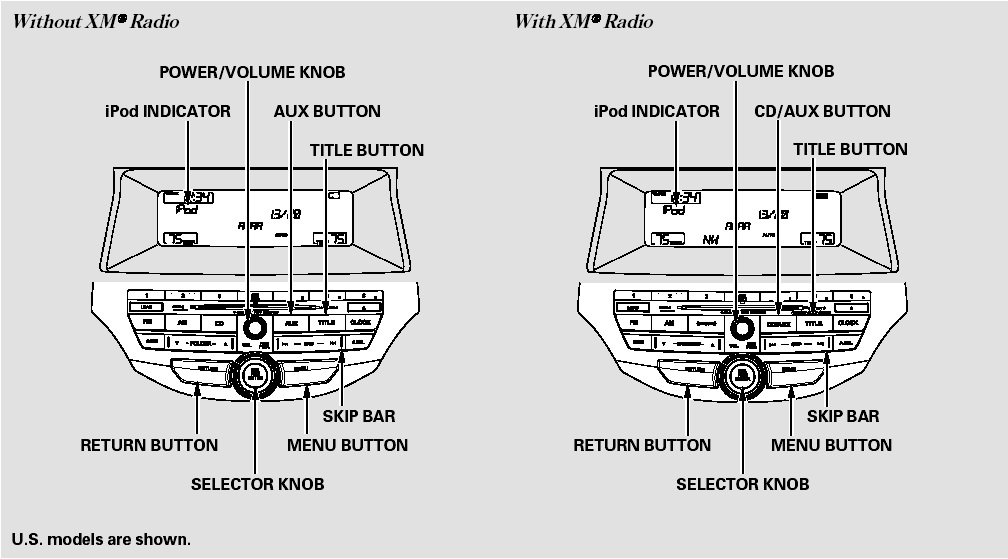
Playing an iPod (Models without navigation system)
 Disc Changer Error Messages (Models without navigation system)
The chart on the right explains the
error messages you may see in the
display while playing a disc.
If you see an error message in the
display while playing a disc, press
the eject button. Af ...
 To Play an iPod
This audio system can select and
play the audio files on the iPod with
the same controls used for the disc
player. To play an iPod, connect it to
the USB adapter cable in the console
compart ...
See also:
Front Seat Belt Replacement
Front Seat Belt - 2-door
SRS components are located in this area. Review the
SRS component locations (see page 24-23) and the
precautions and procedures (see page 24-25) before
doing repairs or se ...
Differential Carrier/Final Driven Gear Replacemen
1. Loosen the bolts in a crisscross pattern in several
steps, then remove the bolts and the final driven gear
(A) from the differential carrier (B).
2. Install the final driven gear with the cham ...
Folder Random
This feature, when activated, plays
all files in the current folder in
random order. To activate folder
random play, select FOLDER
RANDOM by using the interface
knob, and press ENTER on the ...