
 Honda Accord: DTC Troubleshooting Index
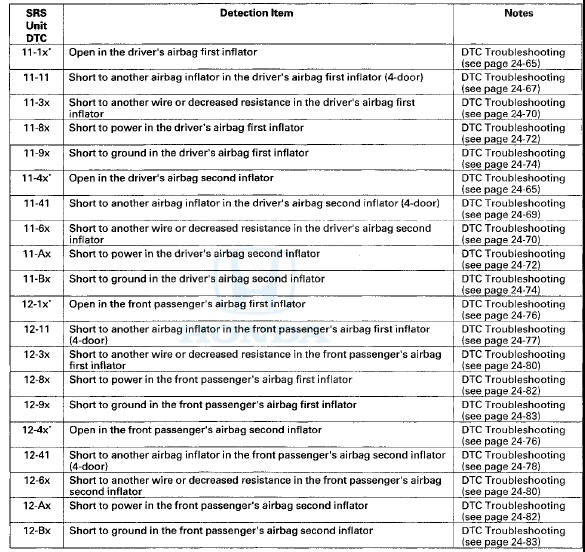
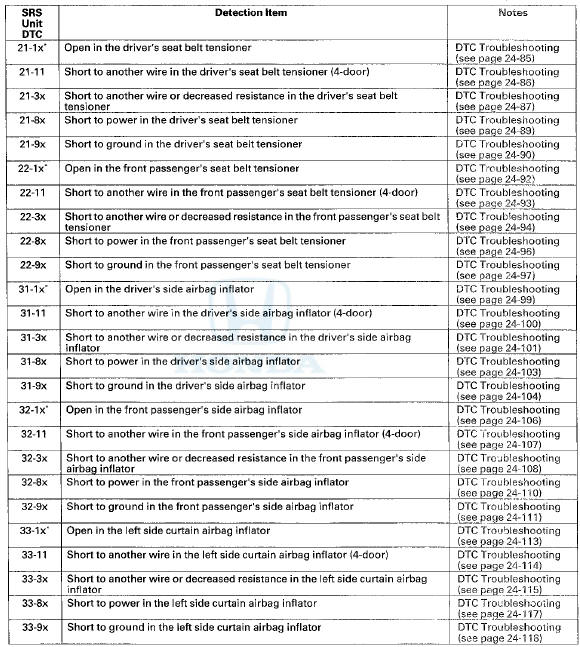
NOTE: The "x" at the end of each DTC denotes a numeric character (0 thru 9), or items with an asterisk (*) (0, 2 thru 9), or an alpha character (A thru F) that you will see on the HDS display. The character is unrelated to your troubleshooting; it designates the SRS unit manufacturer and other detail used for product analysis.
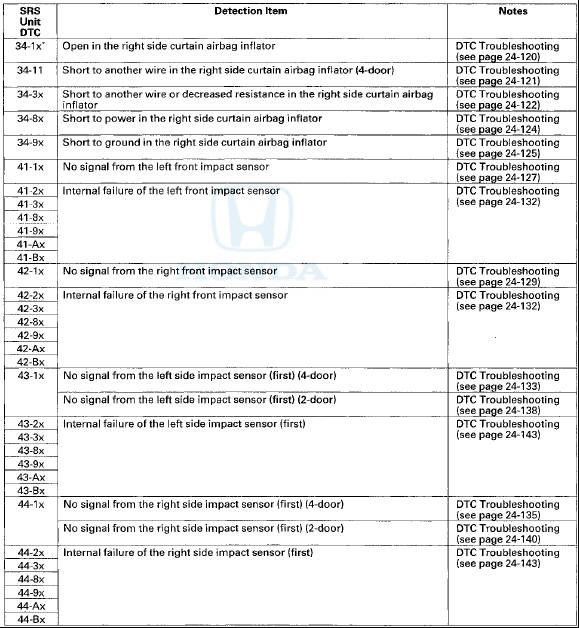
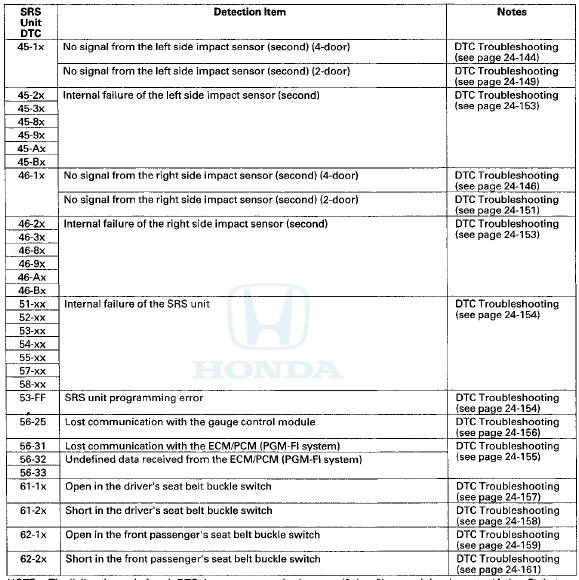
NOTE: The "x" at the end of each DTC denotes a numeric character (0 thru 9) or an alpha character (A thru F) that you will see on the HDS display. The character is unrelated to your troubleshooting; it designates the SRS unit manufacturer and other detail used for product analysis.
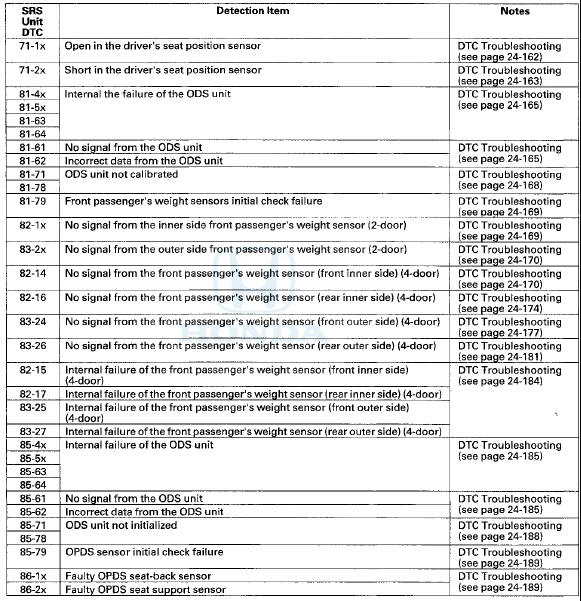
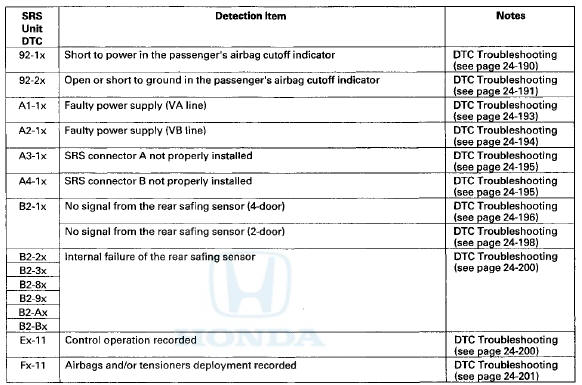
NOTE: The "x" at the end of each DTC denotes a numeric character (0 thru 9), or items with an asterisk (*) (0,2 thru 9), or an alpha character (A thru F) that you will see on the HDS display. The character is unrelated to your troubleshooting; it designates the SRS unit manufacturer and other detail used for product analysis.
Only read DTCs from the SRS menu, not from SWS menus unless Instructed to check SWS DTCs. SWS (ODS unit) DTCs are subcodes of SRS unit DTCs. Only troubleshoot the corresponding SRS DTCs.
SWS DTC Index
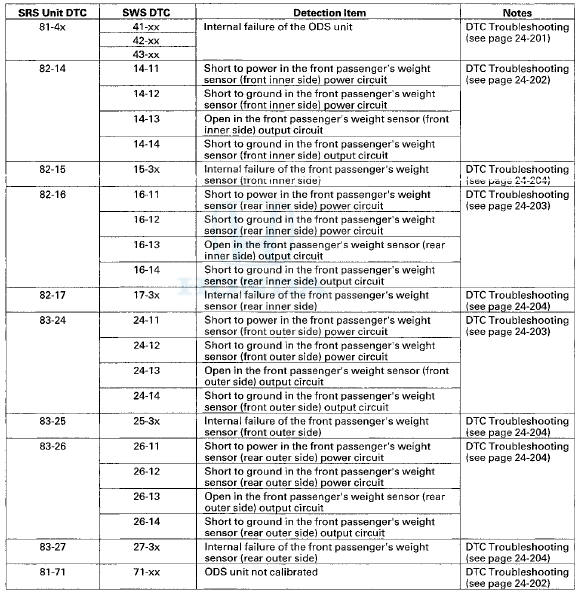
NOTE: The "x" at the end of each DTC denotes a numeric character (0 thru 9) or an alpha character (A thru F) that you will see on the HDS display. The character is unrelated to your troubleshooting; it designates the SRS unit manufacturer and other detail used for product analysis.
 Driver's Seat Position Sensor Operation Check
Check the driver's seat position sensor after driver's seat
position sensor replacement.
1. Make sure the driver's seat is all the way forward
position.
2. Make sure the ignition switch is in L ...

See also:
Tire Pressure Monitoring System (TPMS)
Your vehicle is equipped with a tire
pressure monitoring system (TPMS)
that turns on every time you start the
engine and monitors the pressure in
your tires while driving.
Each tire has its o ...
iPod Error Messages (Models without navigation system)
If you see an error message on the
audio display while playing an iPod,
find the solution in the chart to the
right. If you cannot clear the error
message, take your vehicle to your
dealer.
...
Shifting
Change the shift position in accordance with your driving needs.
• Shift lever positions
You cannot turn the ignition switch to LOCK
and remove the key unless the shift lever is in
.
The ...