
 Honda Accord: Carrier Bearing Replacement
Special Tools Required
Driver Handle, 40 mm I.D. 07746-0030100
1. Check the carrier bearings for wear and rough rotation. If they rotate smoothly and their rollers show no signs of wear, the bearings are OK.
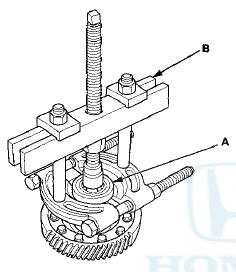
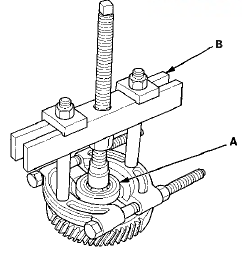
2. Remove the carrier bearings (A) with a commercially available bearing puller (B).
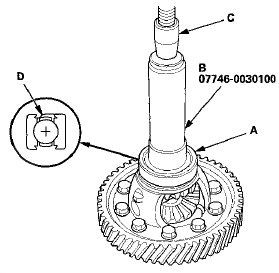
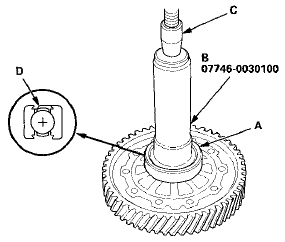
3. Install new bearings (A) using the 40 mm I.D. driver handle (B) and a press (C). Press on each bearing until it bottoms. There should be no clearance between the bearings and the differential carrier.
NOTE: Place the seal part (D) of the bearing towards the outside of the differential, then install it.
 Differential Carrier/Final Driven Gear Replacemen
1. Loosen the bolts in a crisscross pattern in several
steps, then remove the bolts and the final driven gear
(A) from the differential carrier (B).
2. Install the final driven gear with the cham ...
 Oil Seal Replacement
Special Tools Required
- Driver Handle, 15 x 135L 07749-0010000
- Oil Seal Driver Attachment 07NAD-P20A100
1. Remove the oil seal (A) from the transmission
housing (B).
...
See also:
Cylinder Head
...
When Can a Larger Child Sit in Front
The National Highway Traffic Safety
Administration and Transport
Canada recommend that all children
aged 12 and under be properly
restrained in a back seat.
If the passenger’s front airbag ...
TripMeter
The trip meter shows the number of
miles (U.S.) or kilometers (Canada)
driven since you last reset it.
There are two trip meters: Trip A
and Trip B. Switch between these
displays by pressing ...