
 Honda Accord: Audio System
Audio System
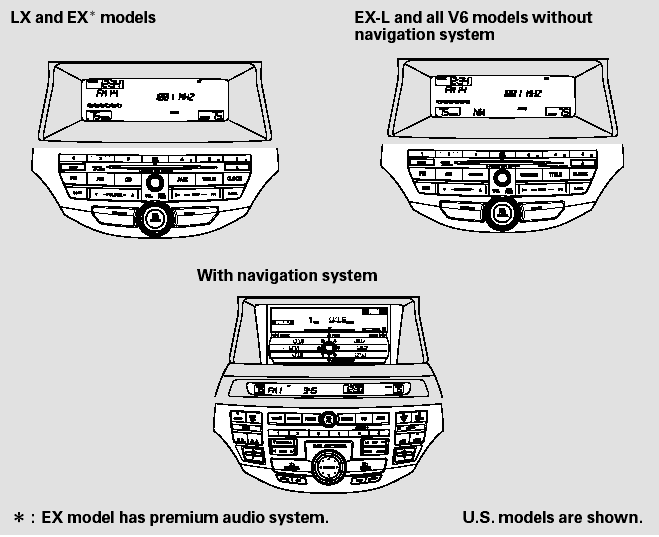
An audio system is standard on all models. Read the appropriate pages (as shown below) to use your vehicle’s audio system.
- Selector Knob
- Menu Display
- Playing the FM/AM Radio (Models without navigation system)
- To Play the Radio
- To Select a Station
- Radio Data System (RDS)
- Adjusting the Sound
- Audio System Lighting
 Sunlight Sensor/Temperature Sensor
The climate control systemhas two
sensors: a sunlight sensor on top of
the dashboard, and a temperature
sensor next to the steering column.
Do not cover the sensors or spill any
liquid on t ...
 Selector Knob
Most audio system functions can be
controlled by standard buttons, bars,
and knobs. In addition, you can
access some functions by using the
selector knob on the audio system.
The knob turns ...
See also:
If a Tire Goes Flat
Changing a Flat Tire
If a tire goes flat while driving, grasp the steering wheel firmly, and brake
gradually
to reduce speed. Then, stop in a safe place. Replace the flat tire with a
compact
...
Changing the Set Speed
You can increase the set cruising
speed in any of these ways:
Press and hold the RES/ACCEL
button. When you reach the
desired cruising speed, release the
button.
Push on the accelerator peda ...
DTC Troubleshooting
DTC 11-13: Right-front Wheel Speed Sensor
Circuit Malfunction
DTC 13-13; Left-front Wheel Speed Sensor
Circuit Malfunction
DTC 15-13: Right-rear Wheel Speed Sensor
Circuit Malfunction
DTC 17-13: ...